|
Check out the latest product updates in Capital Budgeting
Personnel Budgeting
ClearForms
|
Capital Budgeting
Request Groups Report
To supplement the new Request Groups released in January, we are now adding the Request Groups Report to give you a high-level overview of Capital Costs associated with each Request Group and the Capital Requests therein. Formatted just like the existing Department Report, you can see a summary line for each Request Group, and the columns can be added or removed via “Customize Columns.” The report can also be saved and exported as with all existing reports.
Import Updates
We have updated our Capital Budgeting Import process to empower you as the importing user to confirm column mappings and fix errors on the fly to save you time while loading Capital Requests in bulk. To start the import process, select “Import Requests” on the Import page before uploading the completed spreadsheet.
Select “Import Requests” to kick off the import workflow.
This will open the new Import workflow. From here, you can upload the spreadsheet.
This new workflow is designed to give you more power while importing Capital Requests, and most importantly, you can address errors found during the Review stage directly in the workflow rather than navigating back and forth between the spreadsheet and import process to fix various errors. Additionally, as you can see below, the specific fields needing attention are highlighted in red, and the specific pieces that need to change will display to you as you hover over that field.
Personnel Budgeting
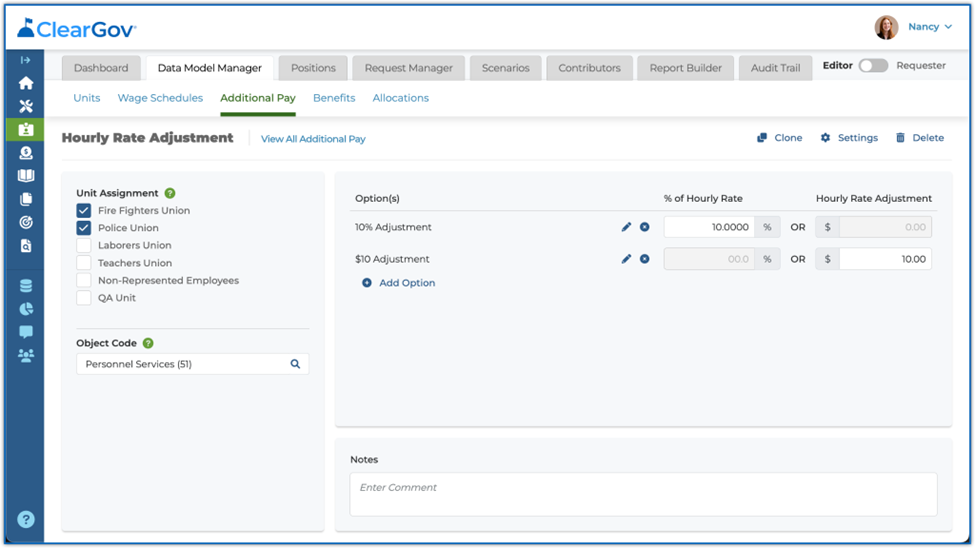
Hourly Rate Adjustment by Percentage
The Hourly Rate Adjustment calculation model for Additional Pays and Benefits can now be applied by percentage. Previously, this Additional Pay / Benefit could only be configured by a flat dollar amount. The addition of adjustments by percentage allows for more flexibility within this calculation model.
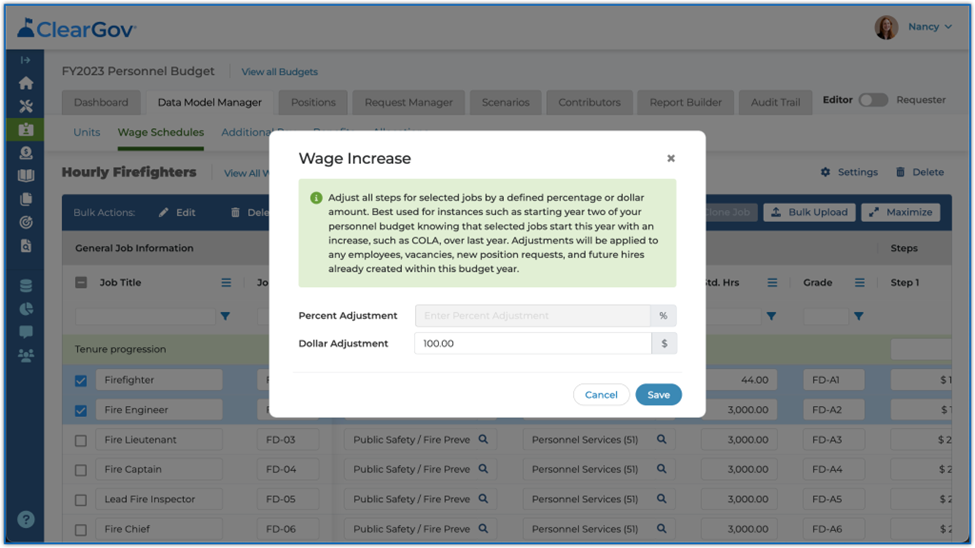
Wage Schedule Wage Increase by Flat Dollar Amount
The Wage Schedule “Wage Increase” function can now be performed by flat dollar amount. Previously, this function only allowed for wage increases by percentage. The addition of this functionality allows for greater flexibility when increasing wages within a Wage Schedule.
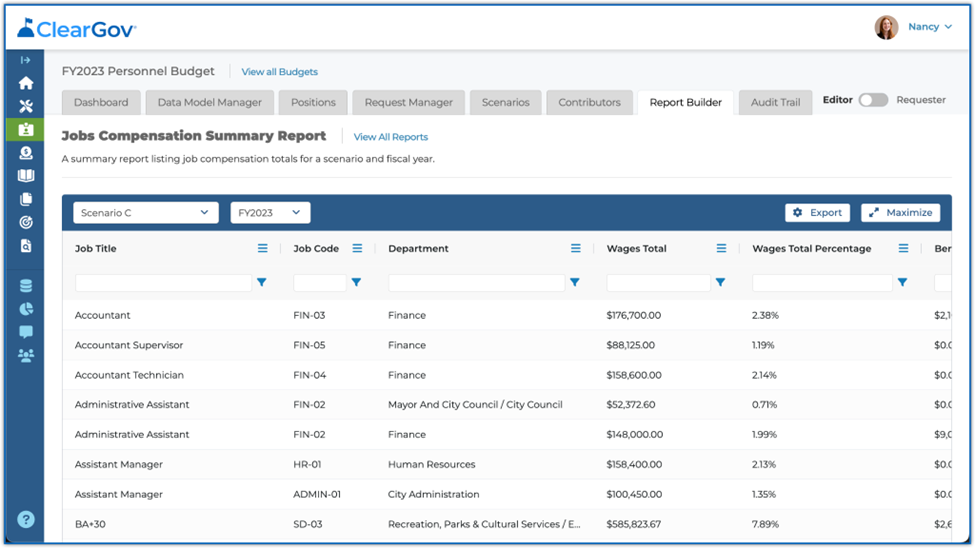
Percent Column Added to Jobs Compensation Summary Report
A percent column has been added to the Jobs Compensation Summary Report, indicating what percent each job’s wages, additional pays, and benefits represent in their respective totals.
ClearForms
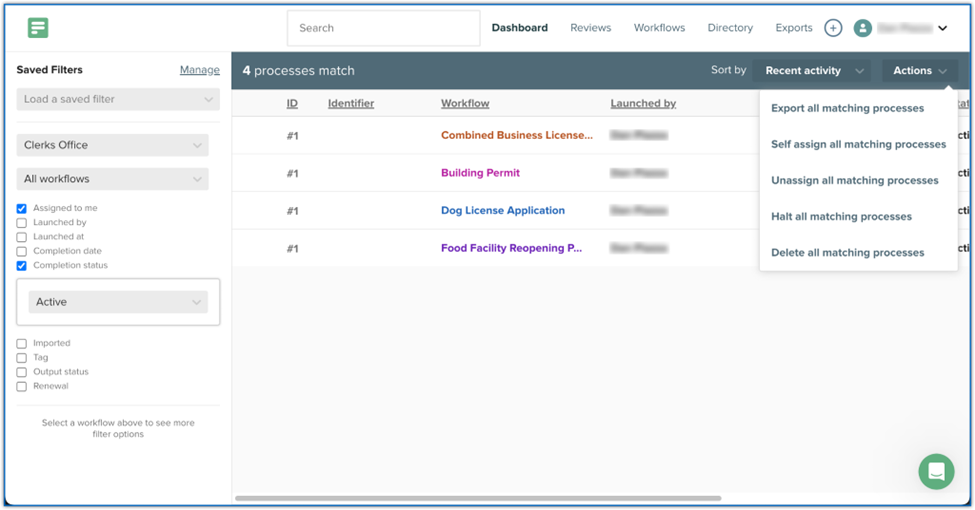
Bulk Self-Assign/Unassign via Admin Dashboard
Admin users can now bulk self-assign/unassign processes based on which processes are currently filtered to and displayed on an admin’s Admin Dashboard. Assignments performed this way are “sticky” and will remain attached to affected processes until explicitly removed, either manually or by workflow step design.
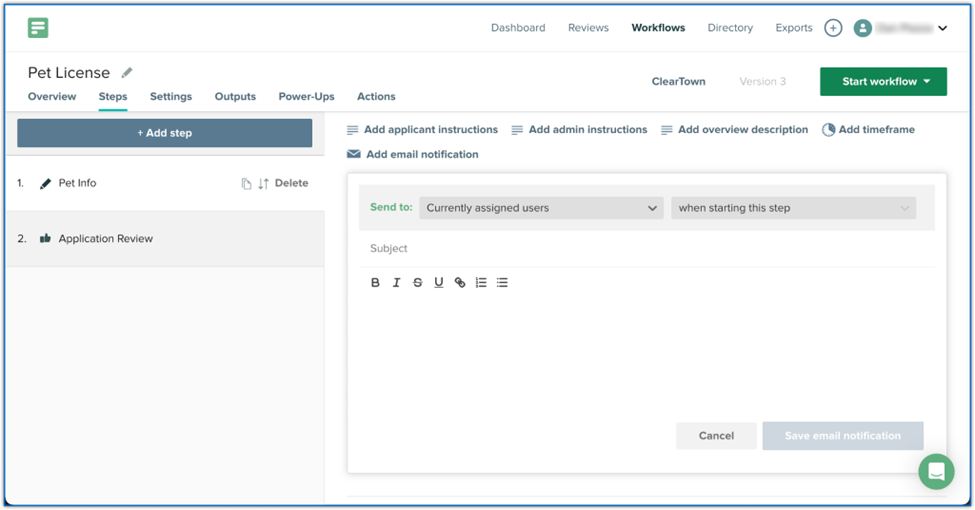
“Currently Assigned Users” Option for Workflow Step Custom Email
“Currently assigned users” has been added as a “Send to” option for workflow step custom emails. This allows flexibility for custom emails within workflow steps, as this option can target both the applicant and certain workflow admins simultaneously.
Have more questions or need assistance?
Submit a Request